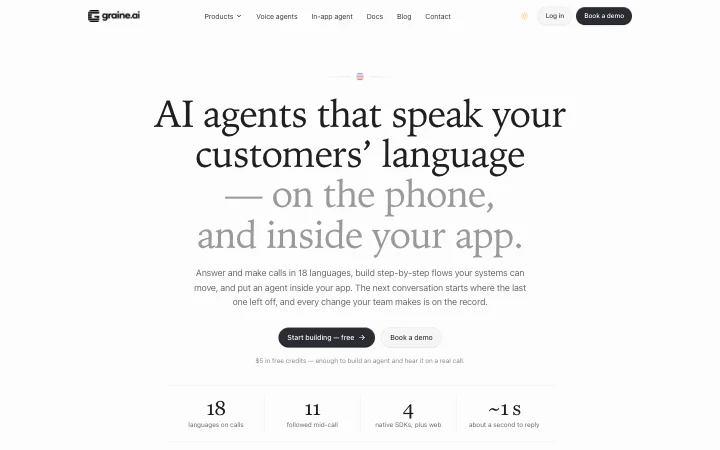
AI agents that speak your customers’ language — on the phone, and inside your app.
Calls answered and made in 18 languages. An agent inside your app. Every conversation picks up where the last one ended.
$5 in free credits — enough to build an agent and hear it on a real call.
- languages on calls
- 18
- followed mid-call
- 11
- native SDKs, plus web
- 4
- about a second to reply
- ~1 s
India builds with Graine










Three kinds of agent
One platform, three ways to talk to your customers.
Every agent shares the same languages, caller context, analytics and controls — whether it answers the phone, follows a flow, or lives inside your app.
On your phone lines
Voice agents
Inbound and outbound in 18 languages, following the caller between 11 of them mid-call.
- Inbound and outbound, on your own numbers
- Retries, follow-ups and calling windows
- Replies in about a second
Built visually, step by step
Flow agents
The conversation as steps — each path taken by AI, by a rule, or by an event from your systems.
- AI, rule and event paths
- Your backend moves a live call
- Fixed lines play instantly
Inside your app
In-app agent
Native SDKs for iOS, Android, Flutter, React Native and web. It sees the screen, and does the step.
- Guides, points and fills in
- Personal data masked on the device
- Voice, chat and in-app calls
Caller context
Every call makes the next one better.
Your agent keeps what each conversation leaves behind — what is still open, what was promised and by when, the language the person prefers — and learns which approach works for each topic. The next conversation starts from there.
- 01
Every call is remembered
What is still open, promises with their dates, and the language the caller prefers.
- 02
It learns what worked
Which approach works for each topic — across your callers, per agent, never across organisations.
- 03
The next call opens ready
In the caller’s language, with the open item and the approach that works. Someone new starts with what usually works.
…and again, on every call.
People this agent remembers
Example peopleWhat worked
ExampleTopic: a payment that is due · this agent
Illustrative figures. The next calls on this topic open with two dates — and so does a first call with someone new, when this is the topic most calls are about.
One memory per person, not per channel.
- Phone calls
- In-app voice
- In-app chat
- Your website
A person is recognised by their phone number, or by the identifier your app passes. What the agent remembers is kept for that agent — or shared by the agents you choose — and never crosses organisations.
How caller context worksThe platform, working
See it do the work, not describe it.
Five parts of the platform, each running on an example. Pick one.
Voice
One agent, in every language your callers speak.
Each language gets its own voice, recognition, prompt and lines. A call can open in the caller’s language, and mid-call the agent follows them between 11 languages — all four parts switch together.
- 18 languages on phone calls
- Follows the caller between 11 of them mid-call
- Inbound and outbound, on your own numbers
Across the customer journey
From the first call to the one that keeps them.
The same platform — and the same memory of each person — from the first conversation to the renewal.
Reach every new lead while the interest is fresh.
Upload a list, or send people from your systems through the API.
- Calling windows, retries and follow-ups
- Calls go out from your own numbers
- Every finished call reaches your systems by webhook
Hi, you asked about our plans this morning. Is now a good time for two minutes?
Use cases
The conversations your team has every day.
Each one is built from the same parts — languages, flows, caller context, campaigns and analytics — so a team that builds one has most of the next.
Lead follow-up
Call new enquiries inside your calling window, ask your qualifying questions and book the next step.
Runs on: PhoneWhatsApp
Appointments
Confirm, remind and reschedule — and send the details on WhatsApp.
Runs on: PhoneWhatsApp
Payment reminders
Remind before and after a due date; when your backend confirms the payment, the call moves on.
Runs on: PhoneWhatsApp
Support lines
Answer inbound calls from your knowledge base, in the caller’s language.
Runs on: Phone
Onboarding
Guide new users through sign-up and setup inside your app, and do the step with them.
Runs on: In-appWeb
Feedback and surveys
Ask your questions in the customer’s language; the answers arrive as the fields you define.
Runs on: PhoneIn-app
Renewals and win-back
Open with what was left open last time, and use the approach that has worked for that topic.
Runs on: PhoneIn-app
Confirmations
Confirm an order, an address or a visit before it happens, and update your systems by webhook.
Runs on: PhoneWhatsApp
Customer stories
What teams did with it, and how it was counted.
 Channel partner activation
Sparsh Pearl
1,521dealers spoken to in five days, at ₹5.59 eachA Hindi voice agent took a dealer scheme to the trade in Uttar Pradesh, and came back with a named list for the sales team.Read the story Channel partner activation
Air-Lock
Taking the current offer to a network of consultants, by phone, while it is still openA voice agent calls consultants and managers, and works through what the offer means for them.Read the story Survey calls, in-app agent
Bullet Shorts
41%of real conversations became confirmed viewer feedback, at ₹3.93 a callSurvey calls to people who tried the app and did not subscribe. The team is now building on the in-app agent too.Read the story- Creator onboarding
Wishlink
Up to 40calls at once, across about 20 agentsCalling creators to bring them on board, in Hindi, and the call limit that came out of it.Read the story
Trust and control
Built for teams that answer to someone.
Decide who can change an agent, have a second person approve it, and keep a record of every change. Give teams or clients their own workspaces, or run Graine on your own infrastructure.
Roles and permissions
Decide who can build, change, publish or only view — role by role.
Maker–checker approvals
A change to a live agent, or a campaign about to start, waits until a second person approves it.
An audit trail of every change
What changed, when, and by which member of the team — every change, on the record.
Sub-accounts
Separate workspaces for teams, brands or clients, each with its own agents and people.
Your own infrastructure
Run the calls on your own compute: recordings and transcripts stay with you. Funding and metering stay with us.
Data kept apart
Caller context never crosses organisations, and personal data in your app is masked on the device.
Security and compliance
Where we stand, stated plainly.
SOC 2 and ISO/IEC 27001 are in progress, and we say so. These are the controls working for customers today; the Trust Center lists every one with its status.
SOC 2
In progressISO/IEC 27001:2022
In progressDPDP Act 2023 (India)
Aligned controls, program in placeGDPR
DPA on request
Encrypted in transit
TLS 1.2 or 1.3 on the API and the call sockets, older versions refused, and HTTPS-only headers on the dashboard and the API.
An audit trail you can verify
Every change is chained to the one before it. Check the chain yourself, in the dashboard or through the API.
Workspaces kept apart, and tested
Another workspace's data answers “not found”, and an automated test sends a foreign id to every route that takes one.
Roles, approvals and scoped keys
Admin, Member and View only, custom roles, a second person's approval for changes to live agents, and API keys with scopes.
Verified apps and verified users
For in-app agents, require Apple App Attest or Play Integrity and a signed identity for each user, and read every check in the Security log.
Subprocessors, by name
32 listed with what each processes and where. A location we have not confirmed says “On request”.
50 controls implemented and 18 in progress. Policies and documents are shared on request, under a non-disclosure agreement.
One stack
One stack, three products on top of it.
The speech, language and agent engine we build in India answers a company's phone lines and lives inside its app, screens a person's incoming calls, and sits in the machine they work on all day.
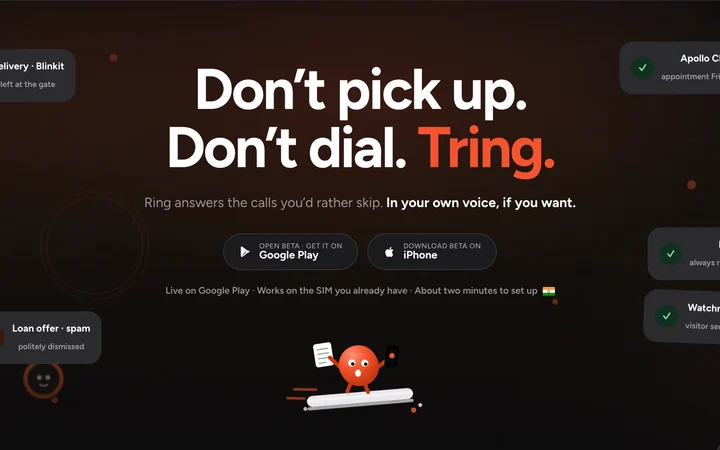
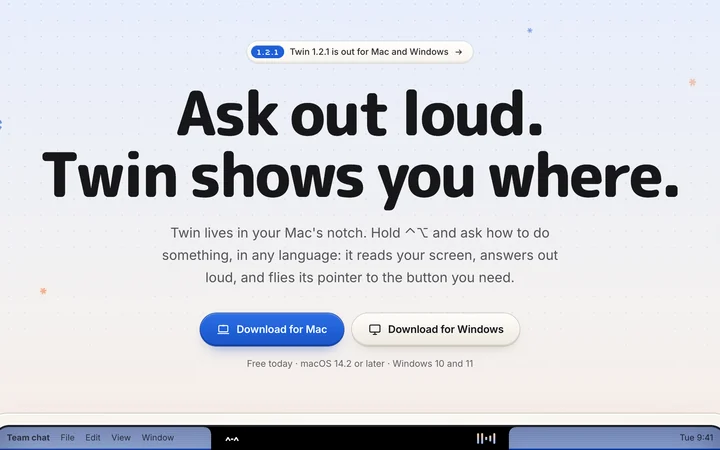
 GraineOne stack, two surfaces: outbound and inbound calls on your own numbers, and a voice agent inside your own app that finishes the step a customer is stuck on.On this pageFor consumersTringA personal AI phone assistant that answers the calls you would rather skip — on the SIM you already have, in your own voice if you want it.heytring.com (opens in a new tab)For consumers and enterprisesTwinA voice interface for the computer itself — ask out loud and it reads the screen, points at the button and does the step. For a person at home, and for everyone on an enterprise's payroll.wsgtwin.com (opens in a new tab)



From the blog
How it works, in depth.
- Caller contextEvery call makes the next one better: memory for voice agentsWhat an agent keeps from each conversation, how the next one opens with it, and why it never crosses organisations.Read the post
- Flow agentsConfirming a payment while the customer is still on the callHow an event from your backend moves a live call on the spot — and why a fixed line plays without a wait.Read the post
- In-app agentGuiding users inside your app with an in-app agentHow an agent sees the step a user is on, guides them and does it with them — with personal data masked on the device.Read the post
Questions
Asked before every rollout.
How do I get started?
Sign up and you get $5 in free credits — enough to build an agent and hear it on a real call. Write the prompt, test it on a call, connect a number and go live.Do I need developers?
Not for voice or flow agents: you build and test them in the dashboard, and flows are built visually. Developers use the public API and webhooks to connect your systems, and your app team adds the SDK for the in-app agent.Can calls use our own numbers?
Yes. Outbound campaigns and inbound lines run on your own numbers.How is it priced?
₹6 per connected minute, all-in — speech recognition, the agent’s voice, the AI model and telephony — billed per second, and ₹10 per chat session, from a prepaid balance. Prices exclude GST. For volume pricing, invoicing or running on your own infrastructure, book a demo. See pricing
Which languages do the agents speak?
18 on phone calls: English, Hindi, Bengali, Assamese, Gujarati, Kannada, Malayalam, Marathi, Odia, Punjabi, Tamil, Telugu, Urdu, French, Spanish, Dutch, Indonesian and Malay.What happens if a caller changes language mid-call?
Between 11 of them — English, Hindi, Tamil, Telugu, Kannada, Malayalam, Marathi, Bengali, Gujarati, Punjabi and Urdu — the agent follows the caller. Its voice, speech recognition and prompt change together, so it stays one agent.Can a call open in the caller’s language?
Yes — including the language the agent remembers the person prefers from an earlier conversation.How fast does the agent reply?
In about a second, end to end. The agent editor shows the estimate for your own agent’s setup before you go live.Can each language be tuned on its own?
Yes. Each language has its own voice, recognition, prompt and fixed lines.
What does the agent remember?
What is still open, promises with their dates, the language the person prefers, and which approach has worked for each topic — someone calling for the first time starts with what usually works. You can tell it what to remember — and what never to.Does it work across channels?
Yes: one memory per person across phone calls, in-app voice and chat, and your website. A person is recognised by their phone number, or by the identifier your app passes.Is it shared between organisations?
Never. What an agent remembers is kept for that agent — or shared by the agents you choose in your workspace — and never crosses organisations.
What is a flow agent?
An agent built as steps on a canvas. Each step says what the agent should do, and its paths decide where the call goes next — by AI, by a rule, or by an event from your systems. Fixed lines play instantly.How does our backend move a live call?
Send the event toPOST /v2/calls/{execution_id}/events. If the step the call is on has a path waiting for that event, the call takes it at once — from “waiting for payment” to “payment confirmed”, say.What can we connect?
Webhooks for every call, a public API, WhatsApp, and knowledge bases your agents answer from.Can we test a change before it goes live?
Yes. Run evals before you publish, and A/B test two versions of an agent on live traffic.
Which platforms are supported?
Native SDKs for iOS, Android, Flutter and React Native, and the web.What does the agent see?
What your app reports about the screen the user is on. Personal data is masked on the device before anything leaves it.Can it act inside our app?
Yes, within the actions your app allows: it can point to a field, fill in what it knows, or move the user to the next step.Can users talk to it?
Yes — by voice or chat, and with voice calls inside your app.
Who can change an agent?
Only the people whose role allows it. Roles and permissions decide who can build, change, publish or only view.Can a change wait for approval?
Yes. With approvals on, a change to a live agent or a campaign about to start waits until a second person approves it.Is there a record of changes?
Every change is written to an audit trail: what changed, when, and by which member of the team.Can we run it on our own servers?
Yes. Graine can run on your own infrastructure: the calls, recordings and transcripts stay with you, while funding and metering still go through our hosted service. It is not an air-gapped install.Where are you on SOC 2 and ISO 27001?
SOC 2 (a Type I audit first, then Type II) and ISO/IEC 27001:2022 are in progress, and we hold neither a report nor a certificate yet. Meanwhile we answer security questionnaires in writing, walk your reviewers through the architecture, and list every control with its status on the Trust Center (graine.ai/trust).
Get started
Build your first agent today, and hear it on a real call.
Start with $5 in free credits, or book a demo with our team.
- 18 languages, 11 followed mid-call
- Approvals and an audit trail
- Runs on your own infrastructure